Rating and revising replies
Every reply from the agent has three small icons alongside it: a pencil, a thumbs-up, and a thumbs-down.
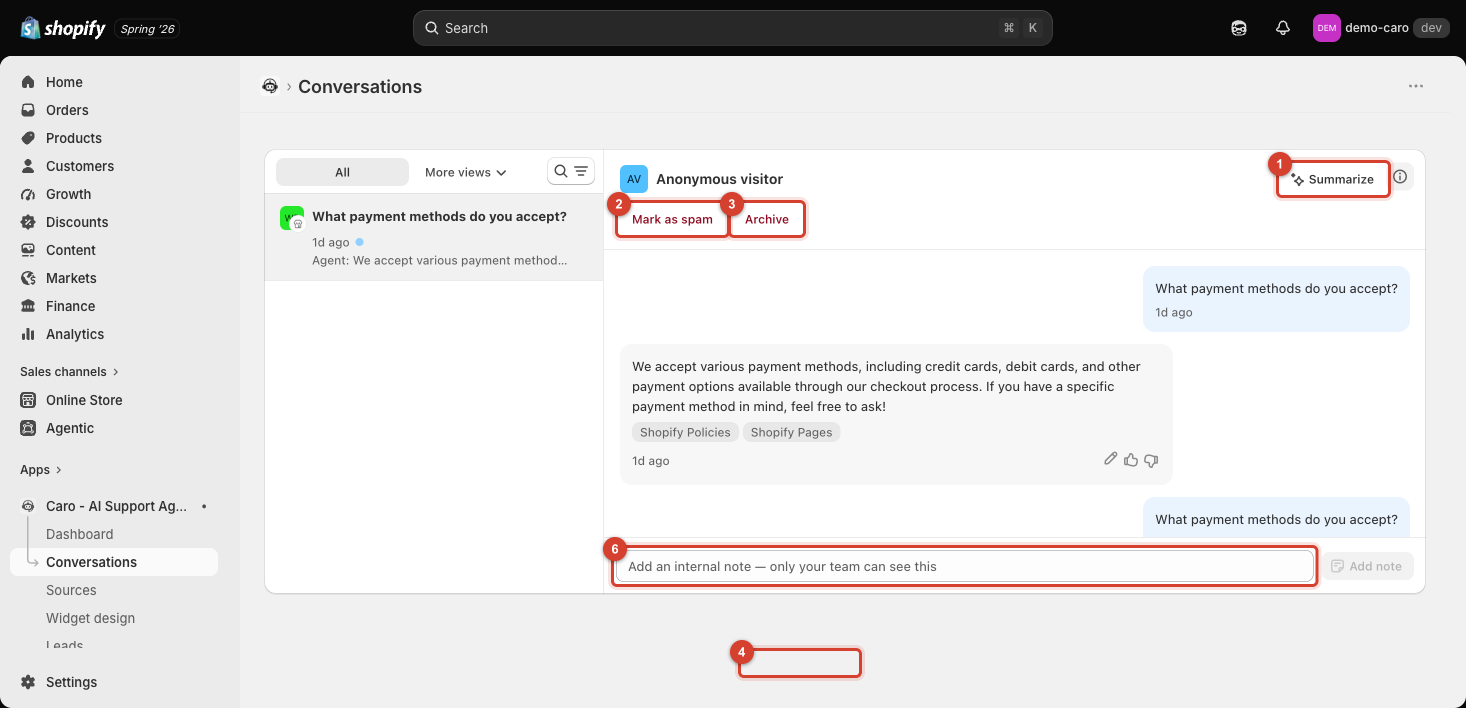
Rate helpful / Rate not helpful
Use the thumbs-up/thumbs-down to flag whether a specific reply was good or not. This is the fastest way to build a record of where Caro is (and isn't) answering well — worth doing consistently if you review conversations regularly, since patterns in "not helpful" ratings point directly at gaps in your training data or a setting worth adjusting.
Revise this answer
Click the pencil icon (Revise this answer) to correct a specific reply directly in the transcript — useful when an answer was close but not quite right. This isn't just a note on the transcript: saving a correction creates a small FAQ entry behind the scenes that Caro gives priority to, so the next customer who asks something similar gets the corrected answer too, not just this one.
Every correction you save — from a conversation or from the Training page — lands in one place, where you can review or remove any of them later.
How this differs from fixing a Source
Both change what Caro says going forward, so pick based on what's actually wrong:
- Revise an answer when the underlying source content was basically fine but the phrasing, a detail, or a specific number was off — it's a quick, one-off fix scoped to that exact question.
- Fix the source directly when the answer was wrong because the source itself is outdated, missing, or the mistake would show up across many different questions, not just this one — see Editing and removing sources.